

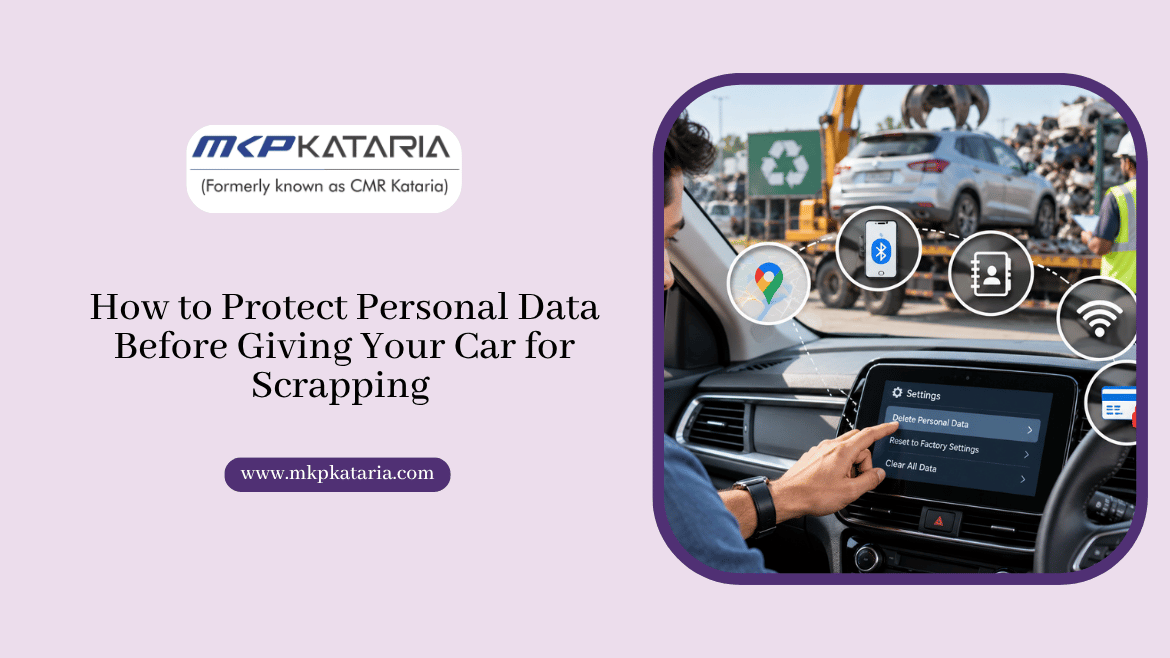
Selling a car for scrap feels simple. You find a buyer, sign a few papers and hand over the keys. But your car remembers more about you than you think.
Even an older model can hold saved addresses, phone contacts, Bluetooth pairings and app logins. If you leave all that behind, the next person who touches the car may see it.
Anyone exploring the car scrap market in ahmedabad should treat privacy as part of the process, not an afterthought. A few small steps before handover can protect your identity, and they take less than an hour.
Why Is Personal Data Security Important Before Scrapping a Car?
Many owners assume everything vanishes at the scrapyard. It doesn’t. Cars are often stripped for parts, and the electronics may be reused or sold before they are destroyed. Your infotainment system can hold data long after you stop driving.
Depending on the model, a car may store:
- Navigation history: saved homes, offices
- Phone details: contacts, call logs
- Connected accounts: app logins
- Paired devices: Bluetooth, CarPlay
- Digital keys: phone-based access
Take a simple example. Say your navigation has “Home” saved near your society in Satellite, Ahmedabad. Anyone who powers up that unit learns where you live and when you usually leave.
It looks like a small detail, but it is personal. Wiping it out reduces the risk of misuse, from spam calls to something far worse.
How to Remove Personal Data Before Giving Your Car for Scrapping
Follow these steps before you hand the vehicle to a scrap dealer or an authorised scrapping facility.
1. Perform a Factory Reset on the Infotainment System
Start with the touchscreen settings. Look for options like Factory Reset, Delete Personal Data or Restore Defaults. A factory reset usually clears contacts, Bluetooth pairings, navigation history and saved preferences.
Read the owner’s manual first. Some cars make you delete each user profile separately, and a few ask for a security PIN.
Don’t assume the “Home” address will disappear on its own. Delete it manually, then run the reset. Afterwards, open the menus again and confirm the lists are empty.
2. Disconnect Your Phone and Other Devices
If your phone connects through Bluetooth, Android Auto or Apple CarPlay, remove the link from the car’s menu.
Deleting the pairing on your phone alone often leaves a copy inside the car. Check both sides.
Also look for storage you may have forgotten about. Before handover:
- Delete paired phones
- Remove USB drives
- Take out SD cards
- Unplug dashcams
- Revoke phone-based keys
3. Sign Out of Connected Car Applications
Many newer cars work with a manufacturer app. It may show fuel levels, track location or lock the doors. That link can stay alive even after the car is gone.
Open the app, go to account settings and remove the vehicle. If you can’t find the option, call the manufacturer’s customer care and ask how to deactivate remote access.
Also check for any paid subscription tied to the car, and cancel it.
If your car uses a digital key, revoke access for family members first. Then delete the key from your phone’s wallet or the vehicle app.
4. Remove Personal Documents and Belongings
Paper can expose you just as easily as a touchscreen. Check the glovebox, centre console, door pockets, boot and sun visors. Look under the seats too.
Take out:
- Insurance copies
- Service invoices
- FASTag, parking passes
- Society gate stickers
- Fuel or bank cards
- Spare ID copies
Contact your FASTag issuer to close or deactivate the tag, and ask about any leftover balance. Otherwise toll charges may keep hitting your account.
Leave the number plates and registration parts as they are. Follow the instructions given by the scrapping facility.
Once your car is accepted, ask for the Certificate of Deposit. It is your proof that the vehicle was surrendered. You may also need it to claim road tax benefits on a new car, though rules differ from state to state.
Keep photocopies of every paper you submit. Write the date and purpose on each one.
Common Mistakes to Avoid
Most privacy slips happen because people rush. Watch out for these:
- Skipping the reset
- One-sided deletion
- Forgetting FASTag
- Blank signed forms
- No Certificate of Deposit
- Cash-only dealing
Skipping the reset leaves your data behind. One-sided deletion means you only cleared your phone, not the car.
Never sign blank forms. They can be misused for transfers or loans. And try to be paid by bank transfer, since cash leaves no trace if a dispute comes up later.
FAQs
Can a scrapped car leak my personal data?
Yes, it can. Contacts, saved addresses, call logs and app logins may stay in the car’s electronics. A proper reset and a clean-out of the cabin remove most of this risk.
Does a factory reset remove everything?
It removes most personal data, but not always everything. Some cars keep app links or digital keys separately. Sign out of the manufacturer app and remove the key from your phone too.
Do I need to remove my FASTag before scrapping?
Yes. Close or deactivate it through your issuing bank and claim any remaining balance. This stops unwanted toll deductions after the car leaves your hands.
Which papers should I keep after scrapping?
Keep the Certificate of Deposit, copies of your RC and ID proof, and any bank NOC. Also keep the insurance papers until the policy is cancelled. These help if any question comes up later.
Is it safe to scrap a car in Ahmedabad through an authorised centre?
Yes, it is generally safe if the centre is registered and follows a clear paperwork process. Ask how they handle your documents, and never hand over blank signed forms.
Conclusion
Scrapping a car should feel like closing a chapter, not opening a risk. Reset the infotainment system, unpair your phone, sign out of apps, clear the cabin and collect your Certificate of Deposit.
The car scrap market in ahmedabad is busy, so take a little time to pick a buyer who respects your privacy and explains each step clearly.
If you have questions about the process or the paperwork, talk to the team at MKP Kataria.